RAW vs JPEG: Which Should You Shoot? A Beginner's Guide
RAW or JPEG? This is one of the first decisions every photographer faces after buying a camera — and one that experienced photographers still revisit depending on the situation. The short answer is that neither format is universally better; the right choice depends on how you plan to use the photos and how much time you want to spend editing.
This guide breaks down the actual differences, the trade-offs of each format, and how to decide which one fits your workflow.
🇯🇵 この記事の日本語版はこちら(Japanese version)
Contents
The Fundamental Difference Between RAW and JPEG
When you press the shutter, your camera sensor captures light data. What happens next depends on the format you've chosen.
JPEG: The camera processes the raw sensor data immediately — applying white balance, contrast, sharpening, noise reduction, and color adjustments based on your camera settings — then compresses the result into a smaller file. Think of it as the camera developing the photo for you. The result is a finished image you can share immediately.
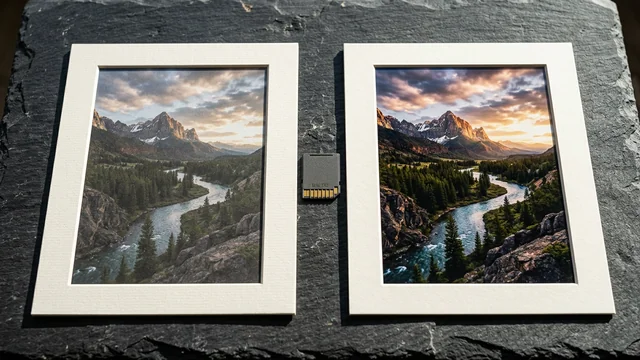
RAW: The camera saves the sensor data with minimal processing. No white balance is baked in. No sharpening is applied. No data is thrown away by compression. You get the full information the sensor captured, but the file looks flat and dull until you process it yourself in editing software.
| Aspect | RAW | JPEG |
|---|---|---|
| Processing | None (you do it in software) | Done in-camera automatically |
| File size (24MP camera) | 25–40 MB | 8–12 MB |
| Color depth | 12–14 bit (4,000+ levels per channel) | 8 bit (256 levels per channel) |
| Editing flexibility | Very high | Limited |
| Compression | Lossless or none | Lossy (data is discarded) |
| Immediate usability | Requires editing software | Ready to use |
The color depth difference is significant in practice. With 12-bit RAW, each color channel stores 4,096 levels of brightness. JPEG's 8-bit depth stores only 256. That means RAW gives you roughly 68 billion possible color combinations, while JPEG gives you about 16.7 million. You do not see this difference on screen under normal conditions, but it becomes visible the moment you try to push an edit — brightening shadows or recovering highlights.
Advantages of Shooting RAW
Fix Exposure Mistakes After the Fact
Overexposed highlights and underexposed shadows are recoverable in RAW because the original sensor data is intact. JPEG discards this data during compression. If you accidentally underexpose a shot by 2 stops, a RAW file can typically be pulled back to a usable image. A JPEG pushed the same amount will show visible banding, noise, and color shifts.
Accurate White Balance Correction
White balance in JPEG is baked in at capture time. If you shoot under mixed lighting and the auto white balance picks the wrong setting, you are stuck with a color cast that is difficult to fix without degrading the image. In RAW, white balance is just a metadata tag — you can change it freely in editing software with zero quality loss, as if you had set it correctly in-camera.
More Detail in Highlights and Shadows
RAW's higher bit depth preserves more tonal gradations in bright and dark areas. A sunset shot in JPEG might clip the sky to pure white; the same shot in RAW may still have recoverable detail in those blown-out areas. Similarly, shadow detail that appears as flat black in JPEG can often be lifted in RAW to reveal texture and color.
Non-Destructive Editing
RAW files are read-only. When you edit in Lightroom or Capture One, your adjustments are stored as a separate instruction set — the original file is never modified. You can revisit and change any edit years later. JPEG edits, by contrast, degrade the file each time you save.
Disadvantages of Shooting RAW
Large File Sizes
RAW files consume 3 to 5 times more storage than JPEG. On a 64 GB card, you can fit roughly 700 RAW files versus 5,000 JPEGs. This also means longer transfer times, larger backup drives, and more disk space on your computer. Storage is cheap, but the difference adds up over thousands of photos.
Slower Continuous Shooting
Because RAW files are larger, the camera's buffer fills up faster during burst shooting. If you are photographing sports or wildlife at 10+ frames per second, you may hit the buffer limit sooner with RAW than with JPEG. High-end cameras with fast memory cards mitigate this, but on mid-range bodies it can be a real constraint.
Post-Processing Is Required
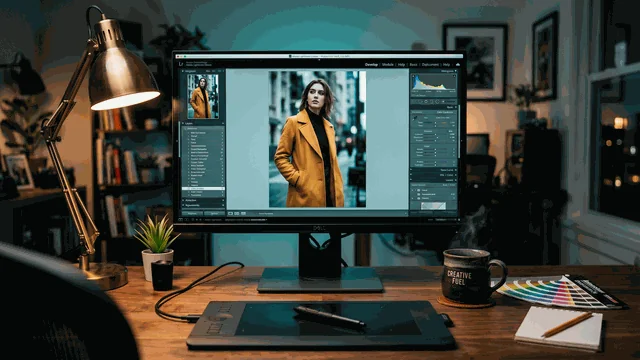
A RAW file straight from the camera looks flat, desaturated, and unsharpened. It needs to be processed in software like Lightroom, Capture One, or the free alternatives darktable and RawTherapee. If you do not enjoy editing or do not have the time, this is a genuine drawback. JPEG gives you a finished image immediately.
Compatibility
You cannot upload a RAW file to Instagram or attach it to an email. It must be converted to JPEG (or another standard format) first. RAW formats also vary by manufacturer — Canon's CR3 is different from Nikon's NEF and Sony's ARW. Older software may not support RAW files from new cameras until an update is released.
When to Use Which: A Practical Guide
| Situation | Recommended Format | Why |
|---|---|---|
| Landscapes and travel | RAW | You want maximum editing flexibility for highlights (sky) and shadows (foreground). |
| Portraits | RAW | Skin tone accuracy and white balance correction matter. Retouching benefits from higher bit depth. |
| Product photography | RAW | Color accuracy is critical. White balance can be corrected precisely in post. |
| Events / parties | JPEG or RAW+JPEG | High volume, fast turnaround. Clients often need same-day delivery. |
| Sports / action | JPEG | Buffer speed and continuous shooting rate are priorities. Photojournalists often shoot JPEG. |
| Social media / casual | JPEG | No editing planned. Platforms compress uploads anyway. |
| Important one-time events (weddings) | RAW+JPEG | JPEG for immediate previews; RAW as insurance for detailed editing later. |
Most cameras offer a RAW+JPEG mode that writes both formats simultaneously. This uses more storage but gives you the convenience of JPEG and the safety net of RAW. It is a good transitional option while you figure out your workflow.
When to Switch from JPEG to RAW
If you are just starting out, JPEG is fine. The camera's built-in processing is good enough for most situations, and you avoid the learning curve of editing software. There is no shame in shooting JPEG — sports photographers, photojournalists, and agency shooters use it regularly because speed matters more than editing latitude in their work.
Consider switching to RAW when any of these apply:
You have started using editing software (Lightroom, Capture One, Snapseed) and find yourself wishing you could push adjustments further without the image falling apart. You are frustrated by white balance issues that you cannot fix properly in JPEG. You shoot in challenging lighting (backlit subjects, mixed indoor lighting, golden hour) where exposure and color correction make a big difference. You are printing photos at large sizes where subtle quality differences become visible.
The transition does not have to be all-or-nothing. Shoot RAW+JPEG for a month, edit the RAW files when you feel like it, and compare the results. If the RAW edits are consistently better than the camera's JPEG, you have your answer.
FAQ
Q. What is the main difference between RAW and JPEG?
A. A RAW file saves all the data captured by the camera sensor with no compression or processing. A JPEG is processed in-camera — the camera applies white balance, sharpening, and color adjustments, then compresses the file to reduce size. RAW gives you full editing flexibility; JPEG gives you a finished image that is immediately usable.
Q. Should a beginner shoot RAW or JPEG?
A. Start with JPEG. It is simpler, takes less storage, and produces usable photos without any editing. Switch to RAW when you start using editing software like Lightroom or Capture One and want more control over exposure, white balance, and color. Many cameras let you shoot RAW+JPEG simultaneously during the transition.
Q. How much storage does RAW use compared to JPEG?
A. A RAW file is typically 3 to 5 times larger than a JPEG from the same camera. On a 24-megapixel camera, a JPEG is usually 8-12 MB while a RAW file is 25-40 MB. A 64 GB memory card holds roughly 600-800 RAW files or 4,000-6,000 JPEGs.
Q. What software do I need to edit RAW files?
A. Adobe Lightroom is the most widely used option. Capture One is popular among professionals for its color science. Free alternatives include darktable and RawTherapee (desktop) and Snapseed (mobile, limited RAW support). Apple Photos and Google Photos can also handle basic RAW edits.
Q. Is RAW better for product photography?
A. Yes, if you plan to edit the photos afterward. RAW lets you correct white balance precisely — critical for showing accurate product colors. It also gives you more latitude to recover overexposed highlights on reflective products. If you need to shoot hundreds of product images quickly with minimal editing, JPEG with careful in-camera settings is a practical alternative.
Summary
RAW gives you the maximum data and editing flexibility. JPEG gives you speed, small files, and immediate usability. Neither is objectively better — the right choice depends on your priorities. For most situations where quality matters and you plan to edit, shoot RAW. For speed, volume, and casual use, JPEG is perfectly fine. When in doubt, RAW+JPEG covers both bases at the cost of extra storage.
よく読まれている記事